







Smart hotel Malaysia: what operators actually ask the team
Smart hotel Malaysia: the AqaraLink Industry Application Platform for hotels, serviced apartments and offices, and the operational questions operators ask.
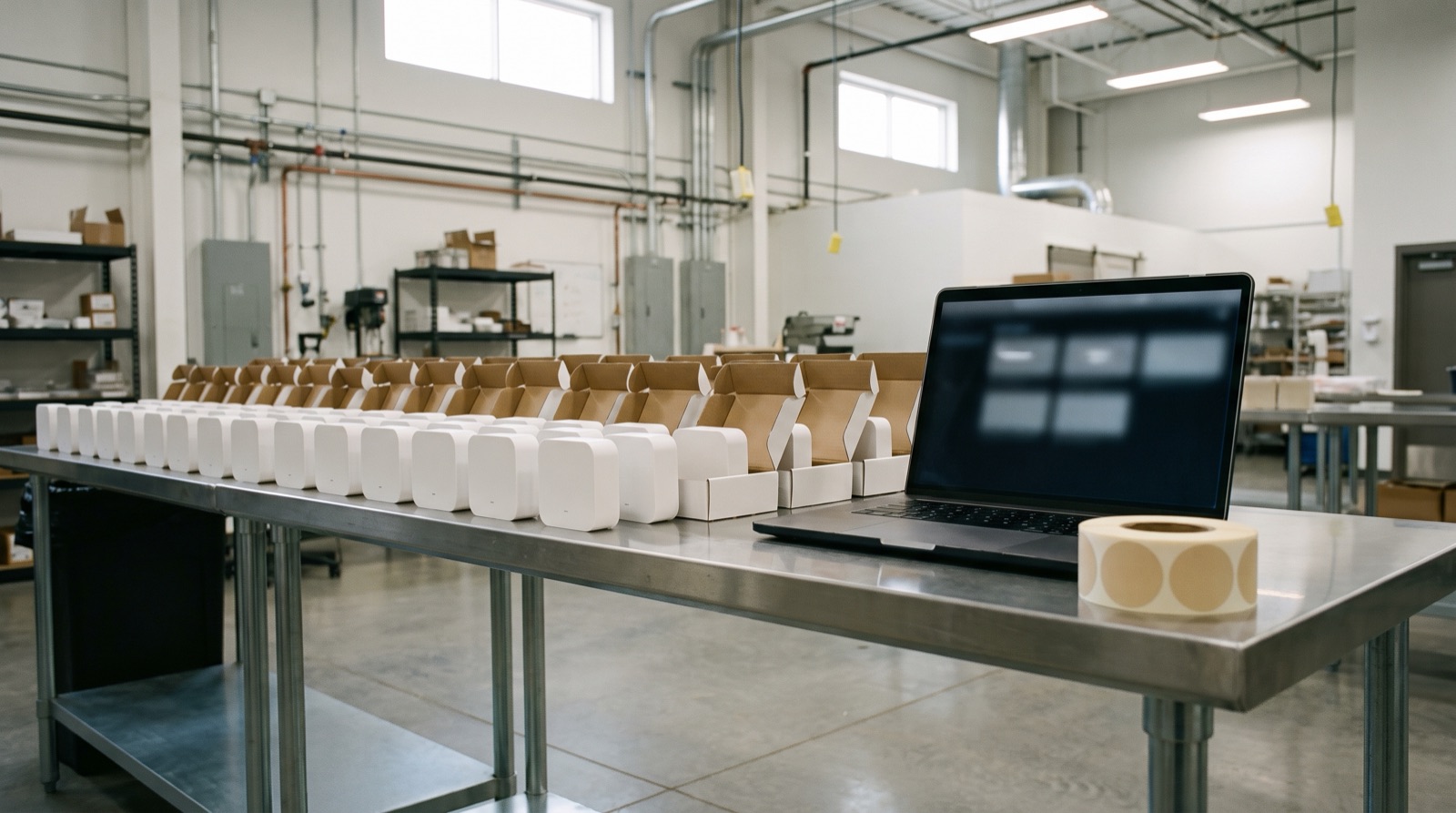
Answer up front — Provisioning twenty devices and provisioning two thousand are different jobs, and the difference is inventory, network planning and who holds the knowledge afterwards. Pilot one floor before you commit the building, hold an asset record per device, treat firmware as a scheduled operation rather than a surprise, and write the handover before the integrator's invoice is due. The question to ask is simple: when the integrator leaves, who can service this?
A working demo tells you the product works. It tells you nothing about whether it can be deployed to four hundred spaces in a building that is still occupied, over eight weeks, without a single incident. A pilot tells you the operational things:
Pilot one floor or one wing, chosen for representativeness rather than prestige. A typical open-plan floor tells you about typical open-plan floors; a flagship lobby with a feature ceiling tells you about flagship lobbies, which is one room. Run the pilot long enough to see a maintenance cycle, not just an install — a device up for six weeks that has not yet needed a battery or a re-pair has not been tested.
The jump is not linear, and the things that break are structural rather than technical.
| What changes | At 20 devices | At 2,000 devices |
|---|---|---|
| Naming | "The one in the corridor" | A naming convention: building, floor, zone, sequence |
| Network | One hub near the office | A deliberate hub plan by floor and by riser |
| Identification | Memory | An asset record, per device, tied to a location |
| Commissioning method | Installer installs and pairs, one at a time | Batch onboarding, with a written sequence and a reconciliation step |
| Fault finding | Walk over and look | A monitoring view, or a technician guessing |
| Failure impact | One sensor, one room | A whole floor, if the design put everything on one hub |
| Handover | An email with a device list | A documented pack, a training session, a named owner |
| Spare stock | "There's one in the cupboard" | A tracked spares list with a reorder point |
Aqara is Zigbee-first, and a hub controls up to 128 related devices. That number is the planning constraint that matters most: it is a ceiling, and a design that puts a floor's worth of devices on a single hub is a design that has planned for the best case and not the failure case. Plan hub distribution by floor and by riser, and decide before the first hub is mounted where the main equipment room is and how the hubs talk to each other.
The AqaraLink Industry Application Platform is built for this shape of work — batch device onboarding, space design, scene configuration, technical operations and monitoring, for real estate, buildings, hotels, campus and senior care. The honest way to describe what that buys you is not speed. It is repeatability: the difference between a rollout that depends on one senior installer remembering how it was done and a rollout where the method is the same on floor three as on floor thirty.
We are not going to quote you a throughput number — devices per day, or devices per project. We do not have a verified figure for your building, and a number from a different building is worse than no number.
A device that is not in a record does not exist. When it fails in three years, there is no location, no model, no purchase date, no warranty status and no idea which scene it was part of. Minimum fields per device — this is not an over-specification:
Two fields do the real work. "Last seen" turns a silent failure from a complaint into a work order. And "which scene references it" stops a replacement device coming back online and quietly running an automation nobody wants at 2am.
The last two fields on that list are the handover items. If your team cannot answer "what is the last firmware version of device X" and "is X still referenced by an automation", you do not own the system — you rent access to it from whoever does.
Every building changes hands. Fit-outs come out, offices move, tenancies end, a sensor gets knocked by a trolley and is never replaced. Without a process, you accumulate orphan devices that still report, still trigger scenes, and no longer correspond to anything in the building. A workable turnover process, in four steps:
Orphaned automations are the specific danger. A door sensor that no longer exists can leave a scene waiting on a trigger that never fires, so a light stays on permanently in a room nobody uses — a small fault and a permanent cost, invisible until someone reads the electricity bill and wonders.
Firmware updates reach buildings the same way they reach homes: partly deliberately and partly on their own. The commercial difference is that an update touching thirty devices at once is an event, and events need a plan.
The same discipline applies to batteries. Battery-powered sensors are a consumable with a service life, and a building with two thousand of them has a recurring replacement task with a real annual cost. Put it in the maintenance budget with a named owner, not in the head of a technician who happened to install the thing.
After the integrator leaves, who holds the knowledge? This is the question, and the answer determines whether you own a system or a liability.
The handover pack should contain, and should be signed for:
And three things that are routinely missing and should not be:
Train by role, in this order: the person who resets a scene daily, the person who replaces a failed device, the person who changes an automation, the person who holds the account. Most facilities teams need the first two and should not be given the last two. Handing account credentials to a broad group of staff is how a tenant or an occupant ends up reconfiguring a building's lighting.
For the higher-level operational view of a property, see hotels, serviced apartments and offices. For the platform underneath, AqaraLink developer platform: APIs and SDKs covers the developer side.
Smart hotel Malaysia: the AqaraLink Industry Application Platform for hotels, serviced apartments and offices, and the operational questions operators ask.

AqaraLink developer platform API explained for integrators — cloud modules, message push, virtual accounts, App SDKs and the Matter path. Malaysia support.
A smart building business case guide for Malaysian owners: measure a real baseline, scope phase 1 to fail cheaply, and price the true total cost before you commit.
Tell us about your space. Our B2B team will reply within one business day with a recommended setup and quotation.
WhatsApp us →
[email protected]
+603-5880 5486